Context Rot: Why Giving AI Too Much Info Can Ruin the Results
Lately, there’s been a crazy race to build AI models (like Gemini or ChatGPT) with huge "context windows". Some of these models can now read 1 million—or even 10 million!—words at a time. It sounds amazing, right? Just upload an entire library of books and ask the AI a question.
But wait. A recent study by Chroma on "Context Rot" shows that bigger isn’t always better. In fact, if you give an AI too much info, it starts to get confused. They call this "Context Rot."
Here's a simple breakdown of what goes wrong when you stuff AI full of text, tested across 18 different models.
The Flaw in "Find the Needle" Tests
To prove their AI is smart, companies usually use a test called "Needle in a Haystack" (NIAH). They take a tiny fact (the needle) and hide it inside a mountain of boring text (the haystack). If the AI finds it, they say, "Look! Our AI handles giant context flawlessly!"
But real life isn't a game of Where's Waldo. You usually want the AI to read, reason, and summarize. So, Chroma made harder tests. They kept the questions the same difficulty but only changed how much text the AI had to read.
1. When the Answer Looks Different from the Question
Chroma found out that AI gets very confused if the exact answer doesn't perfectly match the wording of the question.

When you keep the prompt short, smart AI models can still figure it out even if the wording is tricky. But as soon as you feed the AI a giant wall of text, performance drops like a rock for those tricky questions. The sheer amount of extra text makes it way harder for the AI to connect the dots.
2. Red Herrings Throw Everything Off
What if you accidentally throw in information that sounds similar but is actually wrong? Even a single distracting sentence messes up the AI's performance. Add four distracting sentences, and things get really bad really fast.
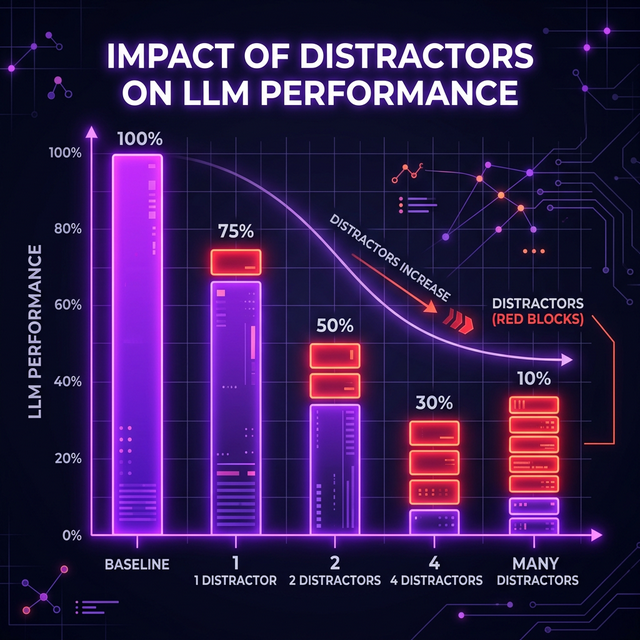
Interestingly, different AI models react to this differently:
- Claude Models are careful. If they get confused by distractors, they usually just say, "I don't know."
- GPT Models hate looking dumb. They tend to hallucinate—meaning they will confidently give you a completely made-up answer based on the distractions!
3. Blending into the Background
Imagine trying to spot a polar bear in a snowstorm. That's what happens to AI when the answer looks exactly like the surrounding text.
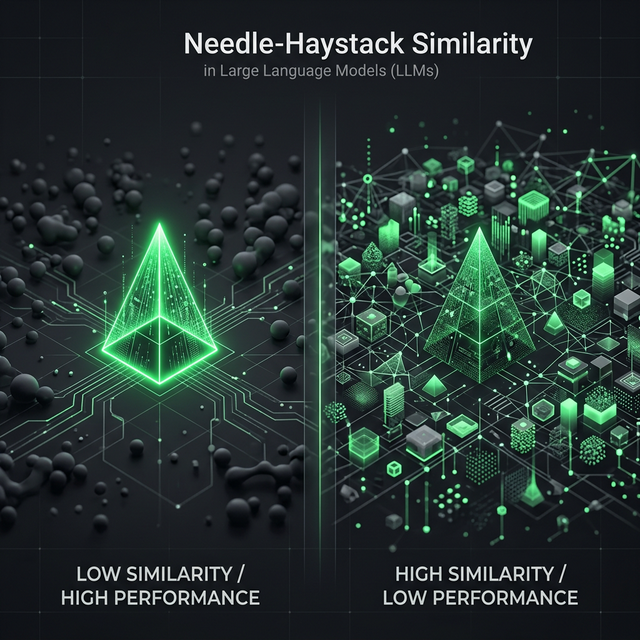
Chroma discovered that if the answer (the needle) is completely different from the surrounding text (like a technical math equation hidden in a cooking blog), the AI finds it easily. But if you hide technical info inside other technical info, the AI suddenly struggles to pick out what matters.
4. Organizing Text Can Strangely Make It Worse
Here is the wildest finding of all. Chroma took a perfectly logical, well-organized essay and scrambled all the sentences into random order.
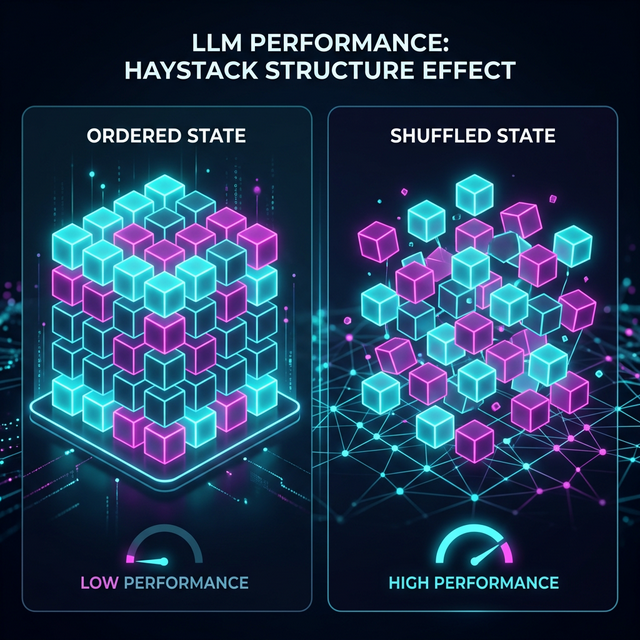
Shockingly, the models performed BETTER on the scrambled, messy text than on the neatly organized text. This proves that AI doesn't read text the way humans do. The way we logically structure paragraphs actually messes with the mathematical "attention span" the AI uses to process massive chunks of data.
Conclusion: How to Fix It
So, what does this mean for us? It means you shouldn't just copy-paste everything into ChatGPT and hope for the best.
Instead, we need to use Context Engineering. Here are real best practices to make sure your AI actually reads what you tell it:
Best Practice 1: Keep It Relevant
Don't upload 5 PDFs if you only need answers from 1.
Bad: Uploading all company financial reports from 2010 to 2024 to ask: "What was our Q3 revenue in 2024?"
Good: Only uploading the 2024 report. The less "noise" you give the AI, the better.
Best Practice 2: Format for the AI, Not for Humans
AI likes structured data more than paragraphs.
Bad: Giving the AI a long essay summarizing a client meeting.
Good: Summarizing the transcript yourself into exact bullet points, using XML tags.
<meeting_summary>
  <action_items>
    - Pay invoice today
    - Schedule follow-up
  </action_items>
</meeting_summary>
The AI has a much easier time zeroing in on XML tags than reading your conversational prose.
Best Practice 3: Pre-Filter Your Clutter (RAG)
If you are building an app with AI, use Retrieval-Augmented Generation (RAG). Before you send the prompt to ChatGPT, have a smaller script quickly find only the relevant paragraphs from your database. Then, send just those 5 paragraphs to the AI to write a final answer.
In short: treat large context windows like a messy closet. Just because you can fit a million things inside doesn't mean you'll ever be able to find what you're looking for!